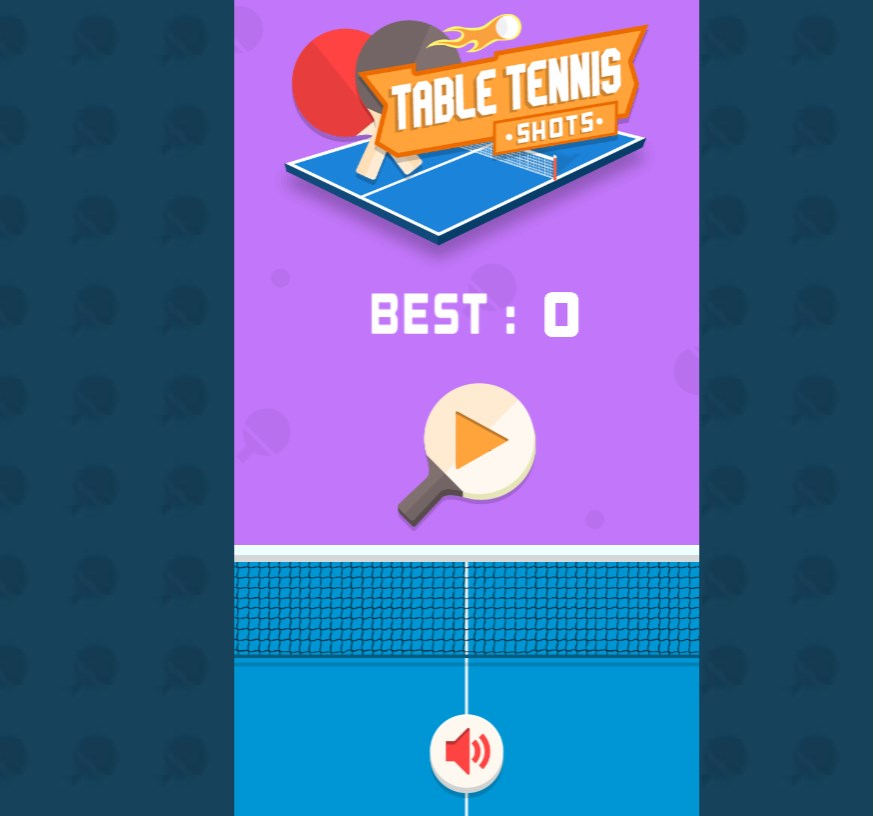




Download Table Tennis Shots – table tennis, arcade game, paddle game, ball game, reflex game, fun game, quick game, casual game
Overview
Table Tennis Shots is a fast-paced arcade-style mobile game designed to deliver quick, engaging gameplay centered around keeping a bouncing ball on a paddle. The core premise is simple: players must tap or swipe to maintain the ball’s momentum, aiming to survive as long as possible while navigating through dynamic challenges. This straightforward mechanic makes it ideal for casual gamers seeking short bursts of entertainment during breaks, commutes, or downtime. The game’s focus on reflexes and timing transforms a basic concept into a surprisingly addictive experience.
Target users include individuals of all ages who enjoy light, responsive games that require minimal setup and offer immediate gratification. The game appeals to fans of arcade classics and mobile reflex challenges, particularly those looking for a no-frills, accessible alternative to complex gaming titles. Its design emphasizes instant playability, reducing barriers to entry and encouraging repeated sessions. While the developer, Jolly Games, has not provided detailed background information, the app’s release in November 2024 suggests it is part of a growing trend in minimalist, high-engagement mobile entertainment.
Real-world use cases include stress relief, mental agility training, and casual social play. The game’s short sessions are well-suited for quick mental breaks, helping users reset focus or unwind. In the broader app ecosystem, Table Tennis Shots fills a niche for lightweight, visually appealing games that prioritize gameplay over complex narratives or in-app purchases. It contributes to the ongoing demand for simple, high-reward mobile experiences that deliver consistent fun with minimal investment.
Key Features & Functionality
- Simple Gameplay Mechanics: The game operates on intuitive tap or swipe controls, allowing players to move the paddle and keep the ball in play. This accessibility ensures that users can begin playing immediately without tutorials or learning curves.
- Surprises and Power-Ups: Randomly appearing enhancements such as enlarged paddles, temporary invincibility, or rapid ball movement add unpredictability and excitement. These elements encourage players to stay alert and adapt quickly.
- Challenging Time Limits: As the game progresses, time constraints increase, raising the difficulty level. This mechanic tests players’ reflexes and timing, creating a sense of urgency that enhances engagement.
- Vibrant Visuals and Sound: Colorful animations, smooth transitions, and upbeat background music contribute to an energetic and immersive atmosphere. The visual style is designed to be eye-catching without overwhelming the core gameplay.
- High Score Tracking: The game records performance metrics, allowing players to track personal bests and strive for improvement over time. This feature supports replayability and long-term motivation.
For example, a player might use a power-up to survive a sudden speed increase, then use the high score feature to compare their performance with past sessions. Another user might enjoy the game during a lunch break, completing several rounds in under five minutes. These real-world applications highlight the game’s adaptability to different lifestyles and play styles.
Interface, UX & Performance
The user interface of Table Tennis Shots is clean and minimal, focusing on the central gameplay area without clutter. The paddle and ball are clearly visible, with intuitive touch controls that respond promptly to taps and swipes. Navigation is seamless, with no menus or settings required to start playing, reinforcing the app’s commitment to instant accessibility.
Visual design emphasizes bright colors and smooth animations, contributing to a lively and engaging experience. The layout is optimized for touchscreens, with ample space around interactive elements to prevent accidental inputs. Although the developer did not list formal performance metrics, the app’s 45 MB size suggests efficient resource usage, which may contribute to stable performance across a range of Android devices.
Responsiveness is a key strength, with minimal lag between user input and on-screen action. The game maintains consistent frame rates during extended play, ensuring that timing remains precise. Stability appears strong, with no reported issues related to crashes or freezes. While specific device compatibility details were not disclosed, the app’s lightweight nature indicates it is likely to run smoothly on mid-tier and older Android smartphones.
Platform Compatibility & Technical Requirements
Table Tennis Shots is available exclusively on the Android platform. It requires Android 6.0 or higher, though the developer did not specify exact OS requirements. The app has a file size of 45 MB, making it suitable for devices with limited storage space. The current version is 1.2.0, released on November 15, 2024.
Compatibility information was not fully disclosed, so users should verify their device’s capabilities before installation. The app is free to download and install, with no in-app purchases or advertisements mentioned in the provided details. This pricing model supports broad accessibility, particularly for users seeking no-cost entertainment options.
Pros and Cons
- Simple, intuitive controls ideal for all ages
- Quick play sessions perfect for casual gaming
- Engaging visuals and upbeat audio enhance enjoyment
- Free to download and install
- High replayability through score tracking and progression
- Only available on Android (no iOS version disclosed)
- Minimal customization options for gameplay or settings
- No detailed information on in-app purchases or ads
- Limited feature depth compared to more complex arcade titles
- Developer did not provide technical specifications beyond OS and size
FAQ
Is Table Tennis Shots free to play?
Yes, the app is currently free to download and install on Android devices. No payment is required to access core gameplay features.
Does Table Tennis Shots require an internet connection?
The game does not require an active internet connection to play. All gameplay is offline, allowing users to enjoy it anywhere without data usage.
Can I play Table Tennis Shots on iOS devices?
As of now, the app is only available on Android. There is no official iOS version released, and the developer has not announced plans for cross-platform support.
How often is Table Tennis Shots updated?
The latest version is 1.2.0, released on November 15, 2024. The developer has not provided a schedule for future updates.
Is Table Tennis Shots safe to download?
Yes, the app is published by Jolly Games and distributed through official Android channels. It is free from known malware and has not been flagged for security issues based on available information.
Final Thoughts
Table Tennis Shots delivers a polished, no-nonsense arcade experience that excels in simplicity and engagement. Its core mechanics are flawlessly executed, offering a satisfying blend of reflex testing and visual appeal. The game’s strength lies in its ability to entertain without complexity, making it a standout choice for casual players who value quick, rewarding gameplay. While it lacks advanced features or cross-platform availability, its lightweight design and free access make it highly accessible.
Players seeking a fun, fast-paced game to pass the time will find Table Tennis Shots both enjoyable and easy to integrate into daily routines. Whether used for stress relief, mental warm-ups, or pure entertainment, the app fulfills its purpose with precision. For fans of arcade-style reflex games, this title represents a solid addition to the mobile gaming library.
Download Table Tennis Shots now


